Support
Answers to the questions people ask most. If yours is not here, email support@lgias.com and it probably will be soon.
Water Polo Board
How do I power it?
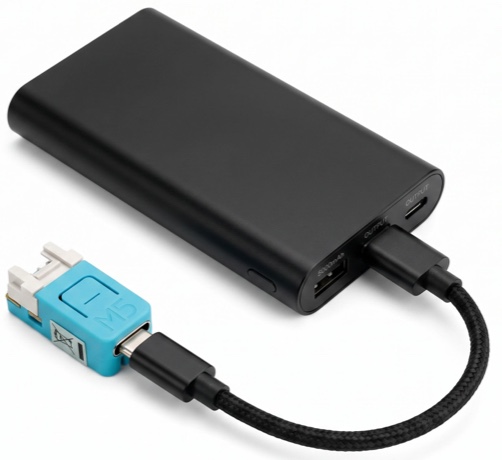
Any USB-C power source: a wall charger, a battery pack, a laptop, or your phone itself. There is no battery inside it and no on/off switch. It starts working as soon as it has power.
What connects to what?
Two things, and only one of them is pairing.
Your phone pairs with the Board once, over Bluetooth, the same way you pair a set of headphones. After that they find each other on their own.
The Board does not pair with the pool’s scoreboard. It only listens to it. That is why there is nothing to plug in at the scoreboard end, nothing to configure on the timing equipment, and nothing to ask the table crew for.
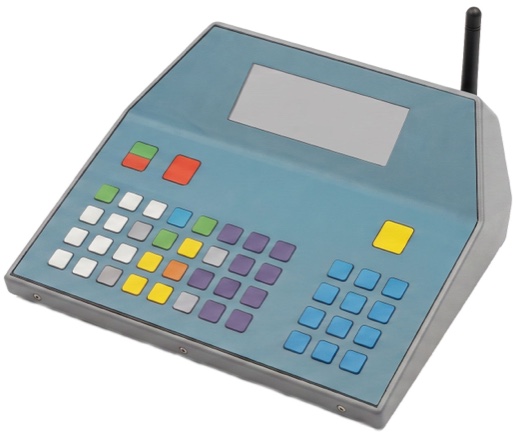
broadcasts scoreboard data.
relays scoreboard data.
(powered over USB)
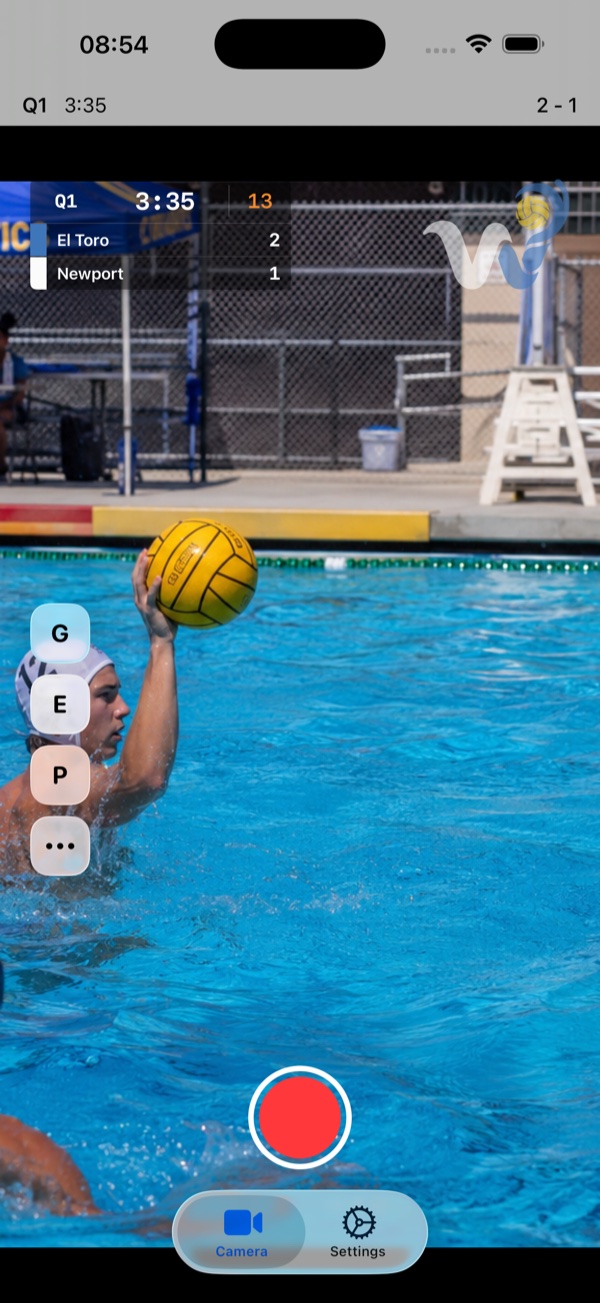
receives scoreboard data.
Nothing plugs into the scoreboard. The Board's only cable is power.
How do I know it is working?
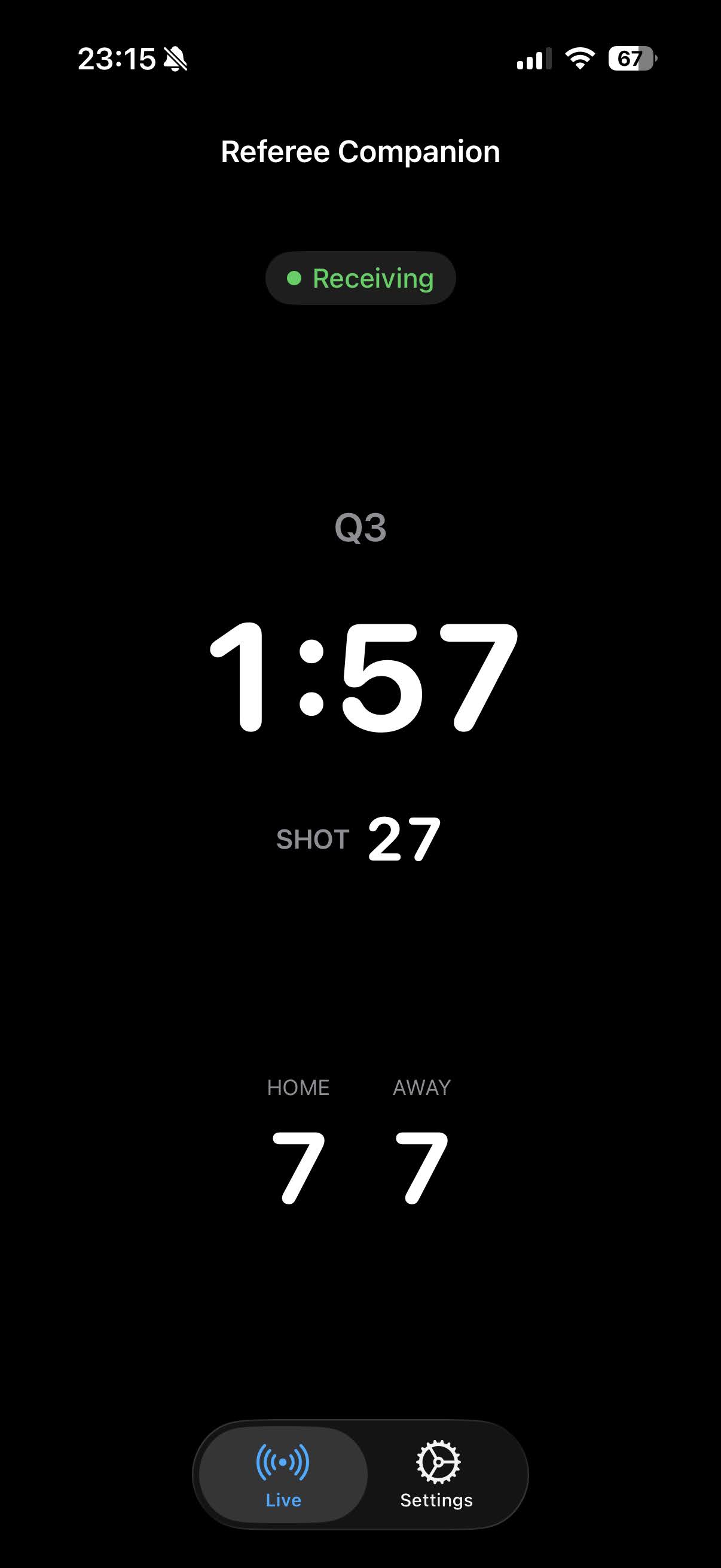
Look at the status at the top of the screen. “Receiving”, with the period, clock and score filling in, means the Board is hearing the scoreboard right now. “No scoreboard data” means it is not hearing one yet.
The app is not showing any data
Work through these in order.
- Check the Board has power.
- Ask for the game clock to be run for ten seconds or so, and watch the app while it runs. This is the step people skip, and it is the one that most often fixes it.
- In the app, open the Board and choose Select Scoreboard, then let it search while the clock is running.
- If more than one turns up, pick the one whose clock matches the one you can see on the wall.
If none of that helps, the pool may not be broadcasting at all. Some scoreboards are wired only and put nothing on the air. Of the ones that do broadcast, the Board understands most Colorado Time Systems equipment, but not every model, and nothing from other manufacturers.
Do I need to know anything about the pool's equipment?
No. You do not need to know the make or model, you do not need any settings from it, and you do not need permission or access to it. The app searches for what is on the air and shows you what it finds.
The only thing that helps is having the clock running while it searches. Some timing systems transmit continuously and some only transmit while the clock is moving, and there is no way to tell which one a pool has by looking at it. Run the clock and the question does not arise.
Where do I put it, and how far away can I be?
There are two distances, and they are not the same.
The scoreboard’s signal carries across a pool without trouble, so the Board can sit anywhere on the deck.
Bluetooth, from the Board to your phone, is the shorter of the two. Keep them roughly within sight of each other. If you are working the far end of the pool, a short USB-C cable from the Board to a battery pack in your pocket keeps the Board with you and solves it.
Can two phones use the same Board?
Yes, up to four at once, and they all get the same live data.
Set the Board up on the first phone. Then open the Board’s page there, tap Show PIN, and type that PIN into the second phone when it asks for one.
What does the light mean?
On the Water Polo Board, with its single blue light:
- Steady: it is receiving scoreboard data.
- Slow blink: it is searching.
- Three short, three long, three short: it hears no scoreboard.
- Fast blink: it is installing an update. Leave it alone until it finishes.
Boards with a colour light show the same states as red for no scoreboard, a breathing cyan while searching, steady cyan while receiving, and magenta during an update.
How do I update it?
In the app, open Settings, then your Board, and take the upgrade option when one is offered. The update travels over Bluetooth, so your phone needs to be near the Board while it runs, and it takes about a minute.
The Board does not need to be at a pool for this, and it does not need to be hearing a scoreboard. Do it at home on the kitchen table, not on the deck ten minutes before a game.
Will this interfere with the scoreboard?
No, and it cannot. The Board only listens. It never transmits anything to the timing system, never connects to it, and never asks it for anything.
The signal it listens to is already passing through the building. Every phone at the pool is sitting in the same radio energy; the difference is that ours has software that understands it.
Can I test it before I get to a pool?
Partly. At home you can confirm that the Board powers up, that your phone pairs with it, and that it is running the current software. You cannot confirm that it hears a scoreboard, because there is no scoreboard to hear. The first real test is at the pool, with the clock running.
Water Polo Referee Companion
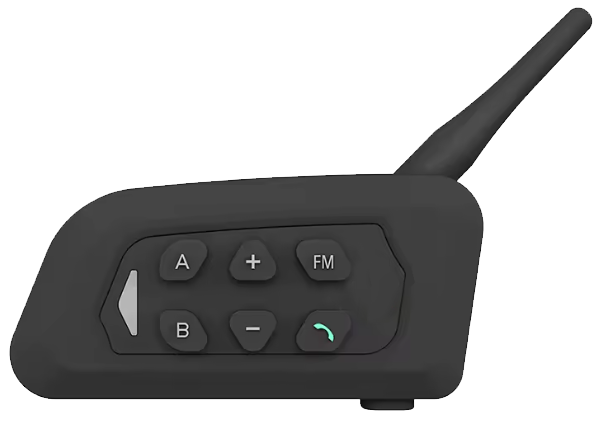
How do I connect a referee headset?
Put the headset into pairing mode with a long press on the call button, the green one on most radios, then pair it in iOS Settings, under Bluetooth, like any other headset. Water Polo Referee Companion speaks through whatever your phone is playing audio to.
Can I try the course measuring away from a pool?
Yes, and it is worth doing before you need it. Point the phone at any flat ground, a driveway or a gym floor, and measure out a course exactly as you would on a deck. Nothing else is needed: no Board, no scoreboard, no pool.
All the apps
Do the apps work without a Board?
Yes, with less.
Water Polo Camera still records, and still draws your teams and the score on the video, but the clocks come from a Board: without one there is no period, game clock or shot clock to draw, and the score is yours to keep.
Water Polo Log works fully without one; the Board only saves you from typing times in.
Water Polo Referee Companion needs a Board for its spoken cues, because those come from the live clock. Its course measuring needs nothing but the phone.
Contact
Los Gatos Integrated Applied Systems LLC
PO Box 272
Los Gatos, CA 95031
United States
General inquiries: inquiries@lgias.com
Product and app support: support@lgias.com
LGIAS is not affiliated with, endorsed by, or sponsored by Colorado Time Systems, which is a trademark of its respective owner.